
15 free minutes
Try the live interview workflow before choosing how to pay.
ApplicantAlly / AI interview assistant
Handle difficult and unexpected interview questions without losing your train of thought.
ApplicantAlly follows the live conversation and keeps earlier questions in context. On desktop, ask for a Quick or Full Answer, or add visible screen context when the task demands it.
Share your link: you and your friend get bonus interview time after their first eligible purchase.
Start free. Then choose a subscription or a one-time pack.
Estimates for 45-minute interviews, before tax. Compare pricing
Works alongside Google Meet, Zoom, Microsoft Teams, and most popular interview platforms. Check your meeting setup.
Try the live interview workflow before choosing how to pay.
Create an account and test the assistant before you decide whether to pay.
Install the desktop app on the machine you use for live interviews.
Designed to work alongside common interview and video-call platforms.
Payments are handled through Paddle as Merchant of Record, with the final total shown at checkout.
Run a quick setup check before a real interview so permissions and screen analysis are ready.
ApplicantAlly is designed to stay on your side of the interview and remain discreet while the call is live.
How Stealth Mode worksDesigned to stay on your side of the call.
Start, stop, trigger Quick, Full, and Screen actions, and adjust transparency without breaking your flow.
Get an immediate talking point when you need help fast, without waiting for a long answer to form.
Higher-quality support stays grounded in your resume, role, and the live conversation.
New · Remote Control
Keep the native desktop app in charge of the interview while your phone becomes a focused control panel. Request answers and Screen Analysis, manage recording, navigate responses, and adjust the ApplicantAlly window without touching the interview computer.
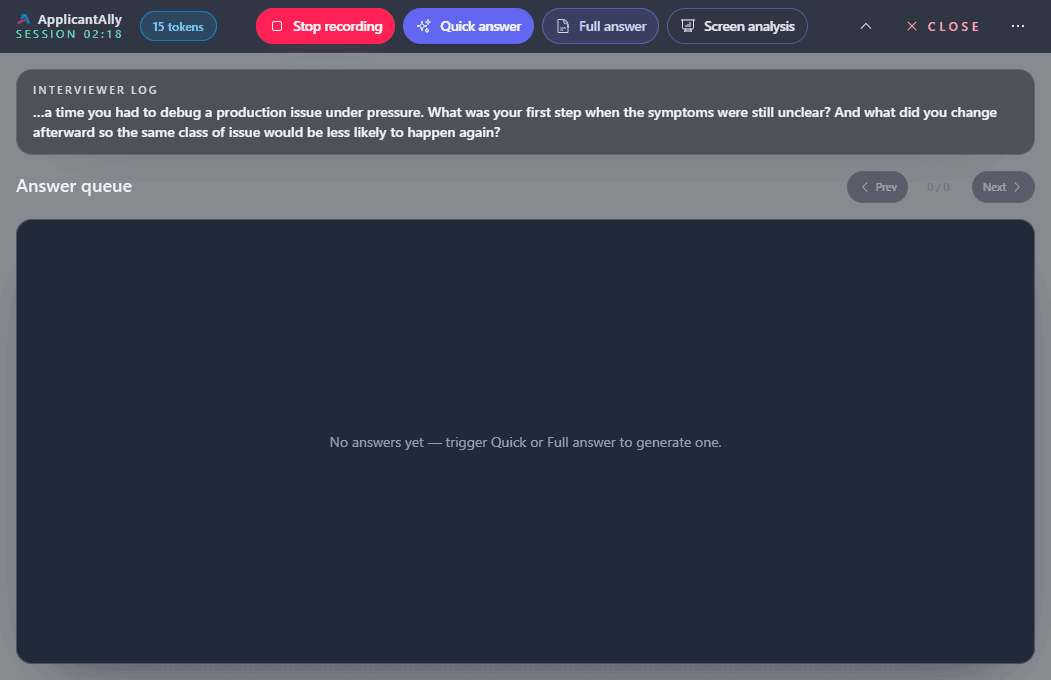
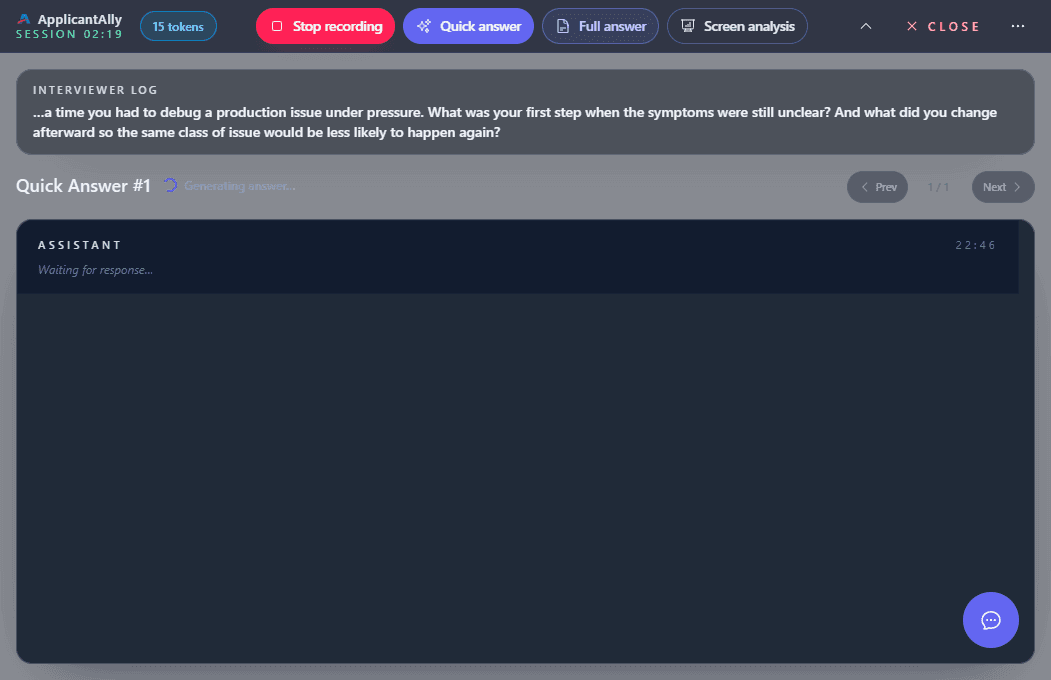
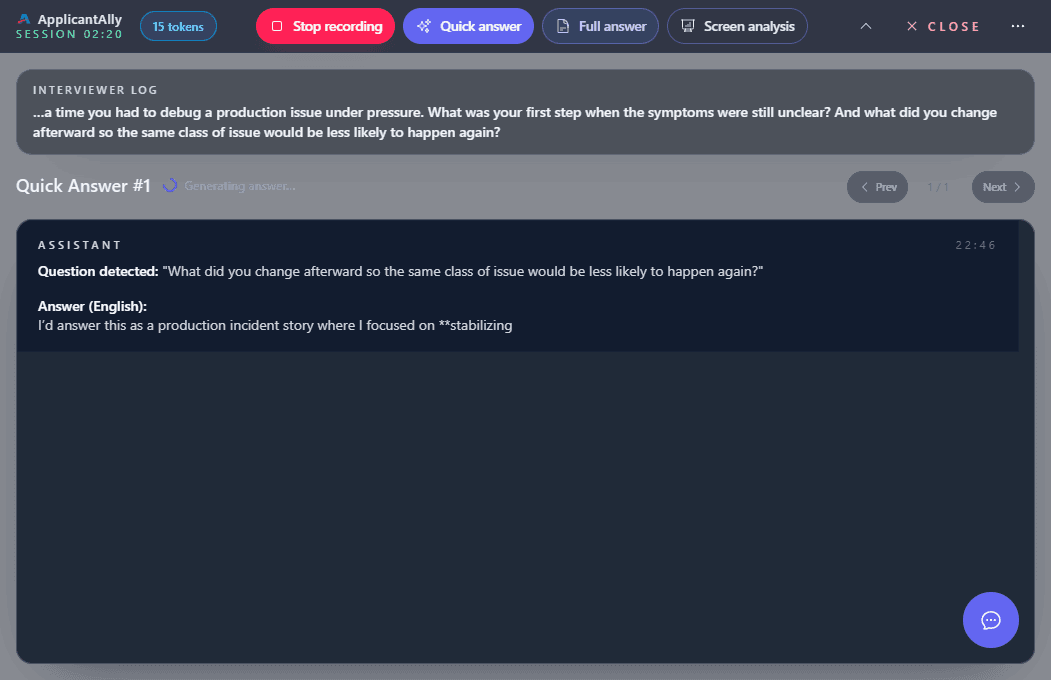
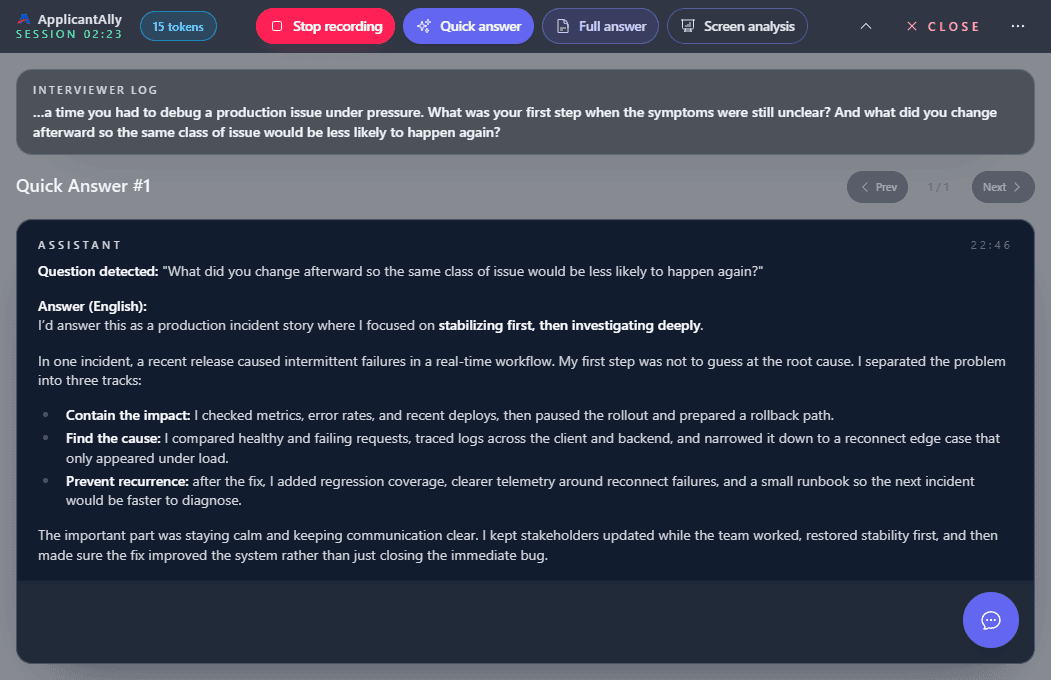
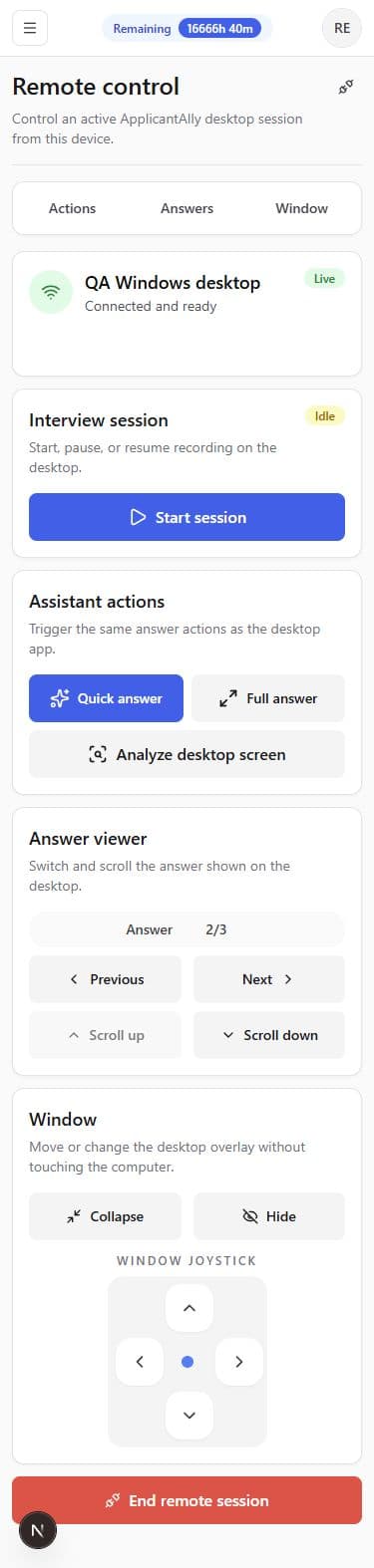
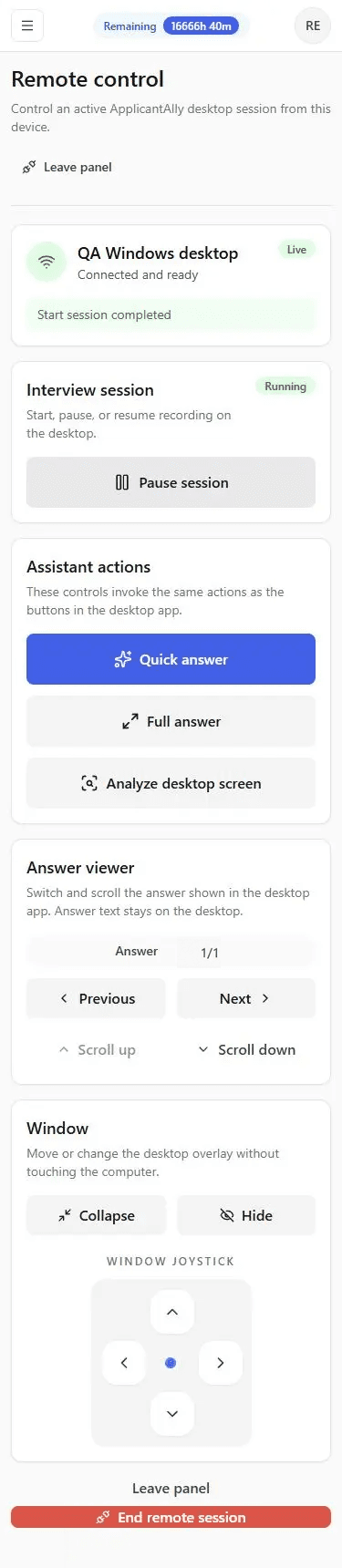
Open Remote Control on your phone and confirm that the desktop session is connected and ready.
Every interface shown here is captured from the working ApplicantAlly desktop app and mobile control panel.
Why it fits
Good candidates often lose structure before they lose capability. ApplicantAlly is built for that exact moment.
When your mind goes blank, the next sentence becomes easier to find.
You spend less energy scrambling and more energy staying in the interview.
Talking points arrive in a form you can adapt naturally and use quickly.
Interview guide
See what eight common hard interview questions are really testing, how to structure each answer, and what to do when your mind goes blank.
How it works
Open ApplicantAlly and prepare your setup before the interview begins.
Give the assistant enough grounding to produce useful, credible support.
Use Quick, Full, or Screen Analysis from the desktop app or its phone Remote Control.
Context carries forward, so follow-ups, pivots, and deeper questions are easier to answer in the moment.
See how the AI interview copilot follows a live conversation from the first question to the next follow-up. When a prompt is visible, see how Screen Analysis adds visual context.
Interactive demo
Walk through the live interview experience in the embedded demo, then start free when you are ready to try it with your own session.
Pricing
A monthly allowance for an active search, or a one-time pack for occasional interviews. All features included with either option.
FAQ
Yes. Every new account includes 15 free minutes, with no credit card required and no automatic subscription. Try the assistant first, then choose how to pay only if you need more time.
Choose a subscription for regular interviews during an active search: you receive a monthly allowance, with automatic renewal every 1, 3, or 6 months. Choose a one-time pack for occasional interviews: pay once, with no renewal and no expiry of unused pack time. Both options include all ApplicantAlly features.
Your allowance resets every month on your subscription anniversary, regardless of payment frequency. Paying for 6 months does not make all six monthly allowances available at once. Unused subscription hours do not roll over. One-time pack hours and referral bonus time remain separate and do not expire at the monthly reset.
Yes. Open Billing and cancel in billing management to stop the next automatic renewal. Your subscription stays available until the end of the period already paid, with monthly allowance resets continuing until then. Cancellation does not automatically refund the remaining paid period; see the refund policy for refund requests.
Yes. You can buy a one-time pack from Billing while subscribed. Subscription time is used first; when it runs out, available extra time is used. Buying a pack does not change your renewal date or monthly allowance. Unused pack time never expires.
Share your referral link with someone who has not signed up yet. When they join through your link and make their first eligible purchase, each of you receives a one-time bonus in interview time.
For one-time packs, the bonus is 20% of the purchased time, rounded down to 5-minute blocks. For example, an 8-hour pack gives each of you 1 hour and 35 minutes of bonus time.
For subscriptions, the bonus is 20% of one monthly allowance, regardless of whether your friend pays for 1, 3, or 6 months. For example, a plan with 15 hours per month gives each of you 3 bonus hours, including when your friend pays for 6 months. The longer payment period does not multiply the bonus. The same 5-minute rounding applies.
Your friend receives their bonus after payment is confirmed. Your bonus becomes eligible for credit after a 7-day hold. Both bonuses are added as ordinary extra time with no expiry. While subscribed, your monthly allowance is used before your extra time.
This reward applies only to the first eligible purchase. Renewals and later purchases do not earn another bonus. Referral bonuses cannot be combined with a promo code and may be reversed if the purchase is refunded. The reward is interview time, not a cash payment.
The native desktop app applies OS-level screen-share protection by default, and its standard capture paths have been user-tested with Zoom, Google Meet, Microsoft Teams, Discord, Telegram, and other applications. Stealth Mode keeps ApplicantAlly running while omitting its window from standard desktop surfaces. Panic Mode fully exits ApplicantAlly and removes its application process from the operating system’s process list. The Mobile Web App runs on a separate phone and creates no ApplicantAlly window, process, microphone listener, or screen-share source on the interview computer. Desktop web runs as a normal browser window and must be managed normally.
Create your account to unlock the free 15-minute trial, or go straight to the installer if you want ApplicantAlly on your machine first.